A One Page Report (OPR) is a one-page summary of every school programme, activity or competition. In most schools it is still made from a Word, Canva or Google Slides template. Every teacher edits the template their own way, photos are arranged by hand, and the file lives on the phone of whoever wrote it.
e-Pengurusan Sekolah keeps every OPR in one school system. Teachers fill in a form on their phone, the system lays out a consistent A4 PDF, and the office can find any report at any time.
What teachers do
- Start a new report on their phone. Choose the type: a programme report (programme, activity, workshop, course) or a competition report.
- Fill in the programme details. Name, date (one day or several), time, venue, organiser, unit and number of participants. Organiser, unit and level are picked from the school's lists, not typed.
- Write the objectives, activities and impact. Every field saves a draft as the teacher types, so a report interrupted by the bell is not lost.
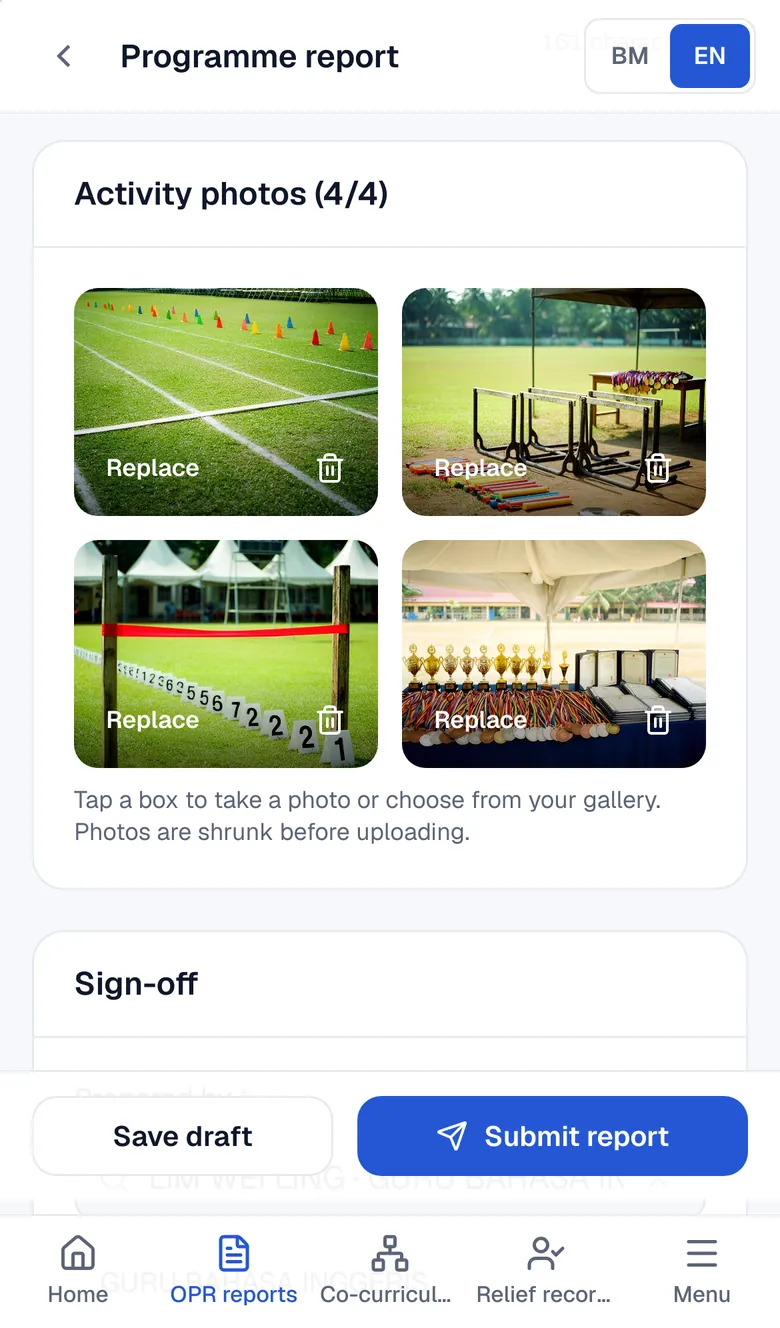
- Take photos straight from the camera. Four activity photos by default (the school can set 2 to 6). Photos are resized before upload, so mobile data is not used up.
- Submit. The system gives a reference number and lays out a one-page A4 PDF with the school logo, photos and space for signatures.
What the office gets
- Every school OPR in one list, filtered by type, unit, date and organiser, and searchable by title, venue or reference number.
- The same format for every teacher. No more fixing fonts, logos and photos before a report goes to the district office.
- Reports that need changes are reopened for the teacher, not retyped.
- A copy in the school's Google Drive (optional). Submitted PDFs are copied to a folder the system creates in the school's Google Drive.
- A public school page (optional): the sections the school switches on (reports, results, co-curriculum, PAJSK, relief) for parents and district officers, without pupil IC numbers.
Competition reports that become PAJSK records
In a competition report, entrants are picked from the school's pupil list. Each entrant gets their own result (for example Champion, Runner-up, Third place or Participation), and the competition level is picked from a list.
When the report is submitted, those results appear in two places:
- Each pupil's PAJSK record, alongside their co-curriculum units and positions. When PAJSK marks are due in the KPM system (IDME/MOEIS), teachers do not search old report files one by one.
- The school achievement board, which counts competitions and individual results for the year by level: school, zone, district, state, national and international.
Word and Canva templates can store a report. They do not know which pupil won what.
A one-page PDF
Every report becomes a one-page A4 PDF (competition reports add an entrant appendix). The header shows the school name and code, the report type and the reference number. Programme details sit in boxes, followed by objectives, activities, impact and photos, with signature space for the teacher who prepared it and the administrator who verified it.
Programme reports have two layouts: classic (full-width text, four photos below) and modern (text on the left, photos stacked on the right). See a sample programme report PDF.
Compared with other ways
| Word / Canva template | Google Form + Sheets | e-Pengurusan Sekolah | |
|---|---|---|---|
| Fill in on a phone | Awkward | Yes | Yes, with the camera |
| Consistent PDF | Depends on the teacher | Needs your own script | Yes, one page |
| Finding old reports | Scattered files | In a spreadsheet | A list with filters |
| Entrants from the pupil list | No | No | Yes |
| Pupil PAJSK records | Retyped | Retyped | Straight from the report |
| Co-curriculum attendance and reports | No | A separate form | In the same system |
Other modules in the same system
OPR is one of several modules sharing the same pupil and teacher lists:
- Co-curriculum reports: weekly attendance and meeting reports.
- PAJSK achievement records: every pupil's results, units and positions.
- Relief records: who covered which class.
- DELIMa ID lookup: pupils look up their own DELIMa ID and password.
Writing guide: One Page Report: format, examples and how to write one.
Pricing
One price for the whole school, not per teacher. Every teacher gets their own account. The first 30 days are free with every module, no card needed.
Common questions
What is an OPR system?
An OPR system is a web app for writing and keeping school One Page Reports. Teachers fill in a form, the system produces a consistent one-page PDF, and every school report is kept in one searchable list.
Can teachers do OPRs on a phone only?
Yes. The report form is built for phones: one column, photos straight from the camera, and drafts that save themselves. The office usually reviews the report list on a computer.
How many photos can one OPR have?
Four per report by default, and the school can set 2 to 6. Photos are resized before upload and laid out in the PDF according to the chosen layout.
Does the OPR follow our school's format?
The school logo, name and code are printed on every PDF. The lists of organisers, units, levels and results can be changed by the school. Programme reports use either the classic or the modern layout.
Can old OPRs be brought in?
Schools on the old e-Pengurusan Pentadbiran OPR system can be moved over with their reports, pupils, teachers and co-curriculum records, without retyping.
Is pupil data safe?
The main server is in Malaysia, and an encrypted nightly copy is also kept abroad. Pupil IC numbers are encrypted and never shown on public pages. The school can export its data (a JSON file) or delete all of it at any time.