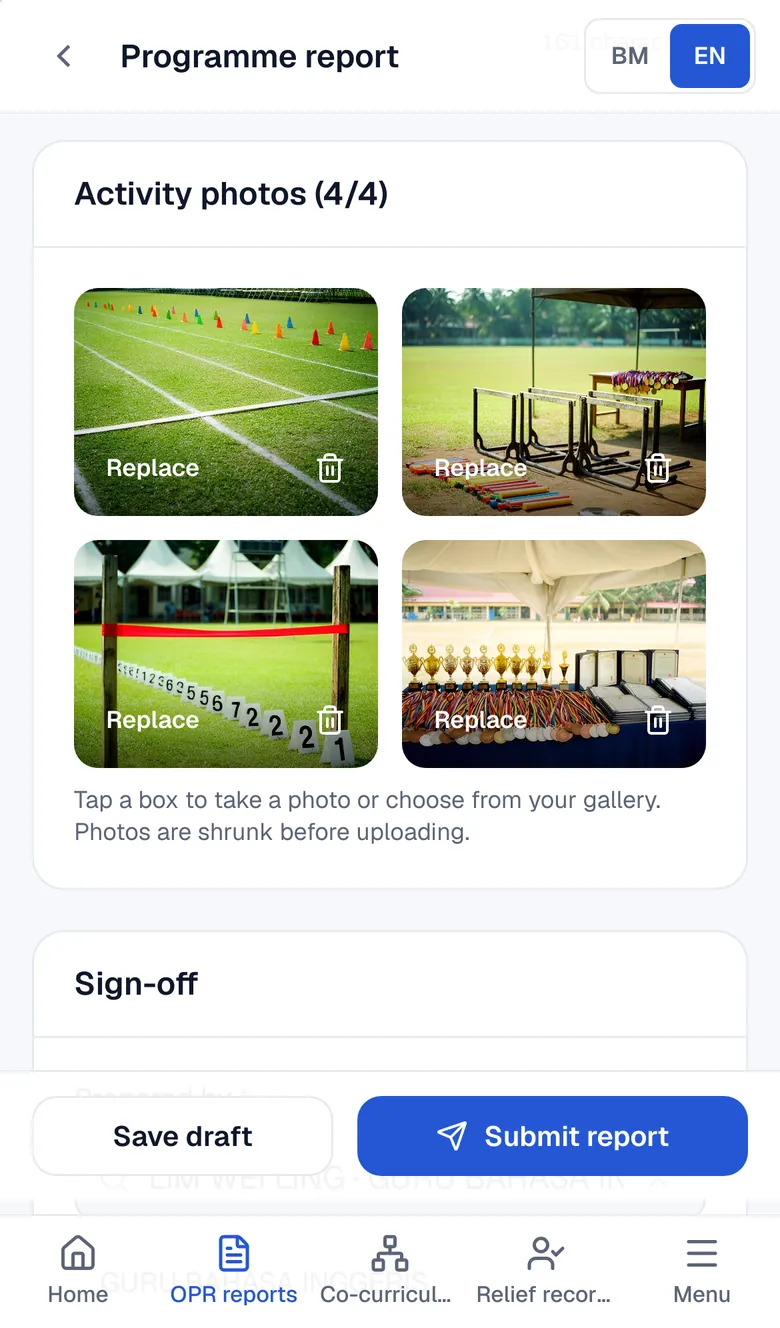
Fill in the report once on your phone. The PDF and PAJSK records follow.

Pick pupils from the list and take photos with the camera. Nothing is typed twice.

RM15 a month for one school. 30 days free, no card.

  • One price for the whole school
  • Bahasa Melayu and English
  • No app to install
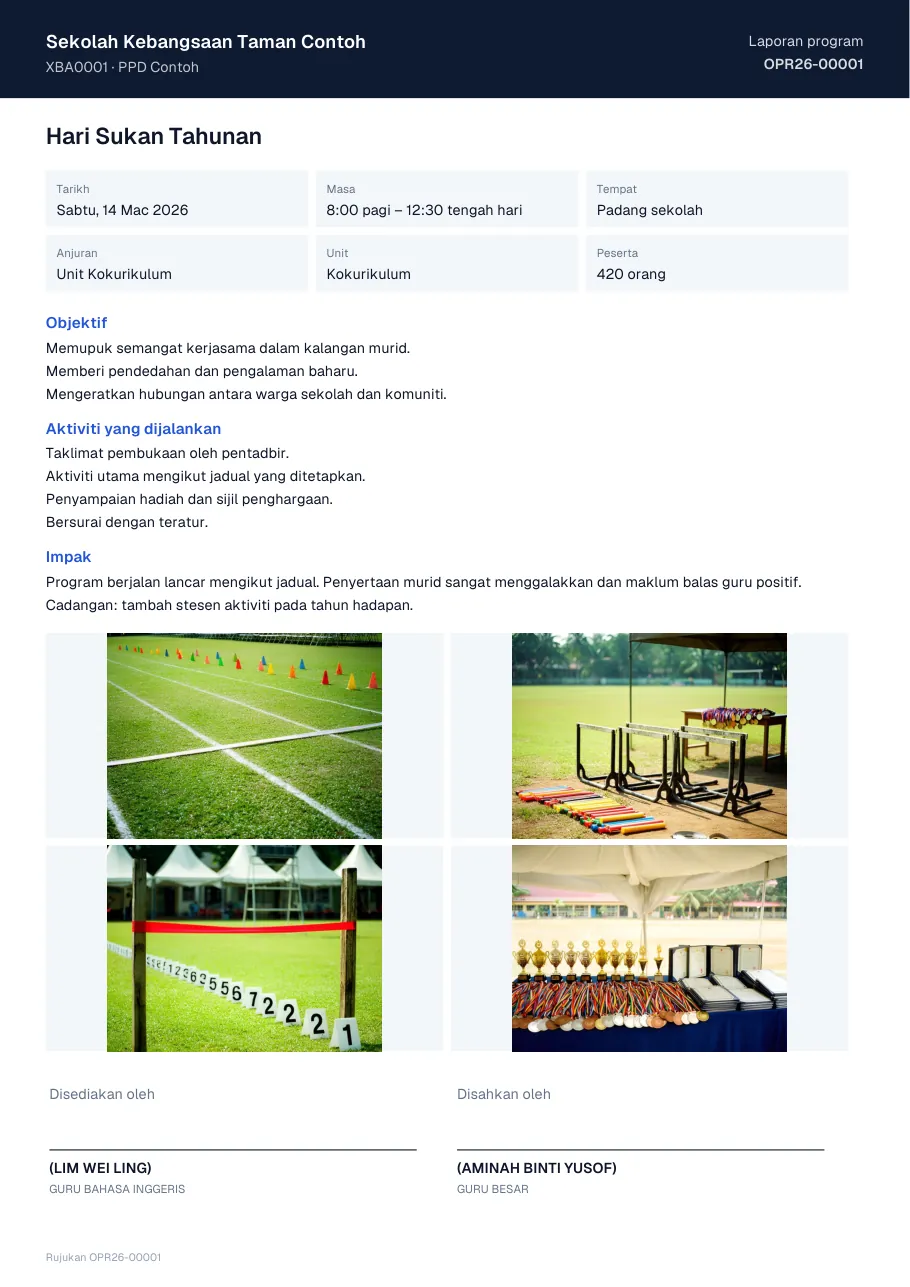
The one-page A4 programme report PDF it produces
Programme report form on a teacher's phone
Sample data
1page
Every report becomes an A4 PDF with the school logo and space for signatures.
0retyping
Pupils, classes and units are picked from the school lists.
BM · ENbilingual
Every screen in Bahasa Melayu and English.
RM15per month
For one school. Every teacher gets their own account.

The WhatsApp group does not know which OPR is finished.

Most schools still build OPRs from Word or Canva templates, send them to a group, and gather pupil results all over again when PAJSK is due.

  1. Every teacher has their own template

    Fonts, logos and photo layouts differ. The coordinator reformats every report before it goes to the district office.

  2. Photos live on one teacher's phone

    When that teacher is on leave or moves school, the programme photos and the report go with them.

  3. PAJSK is gathered again at year end

    Winner lists are dug out of the group and old files, then typed into MOEIS one by one.

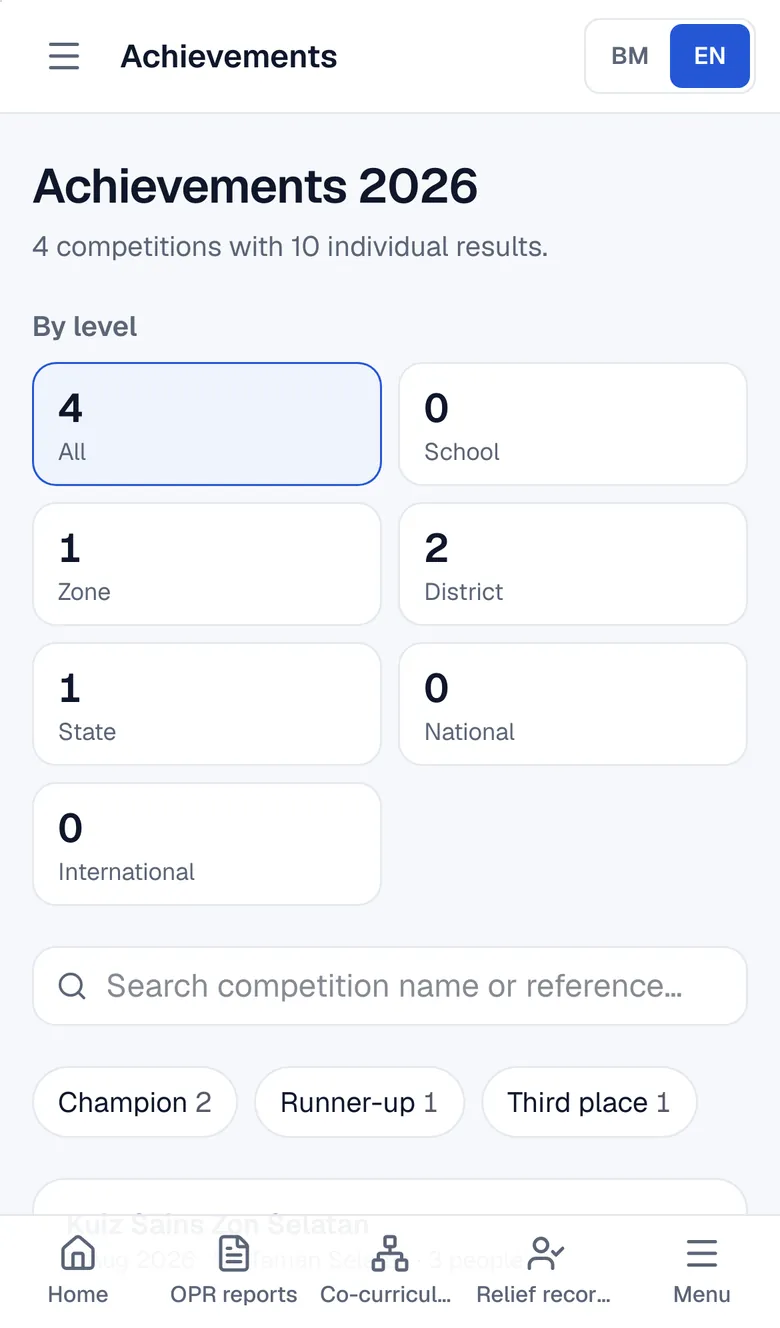
Competition results go straight into pupil records

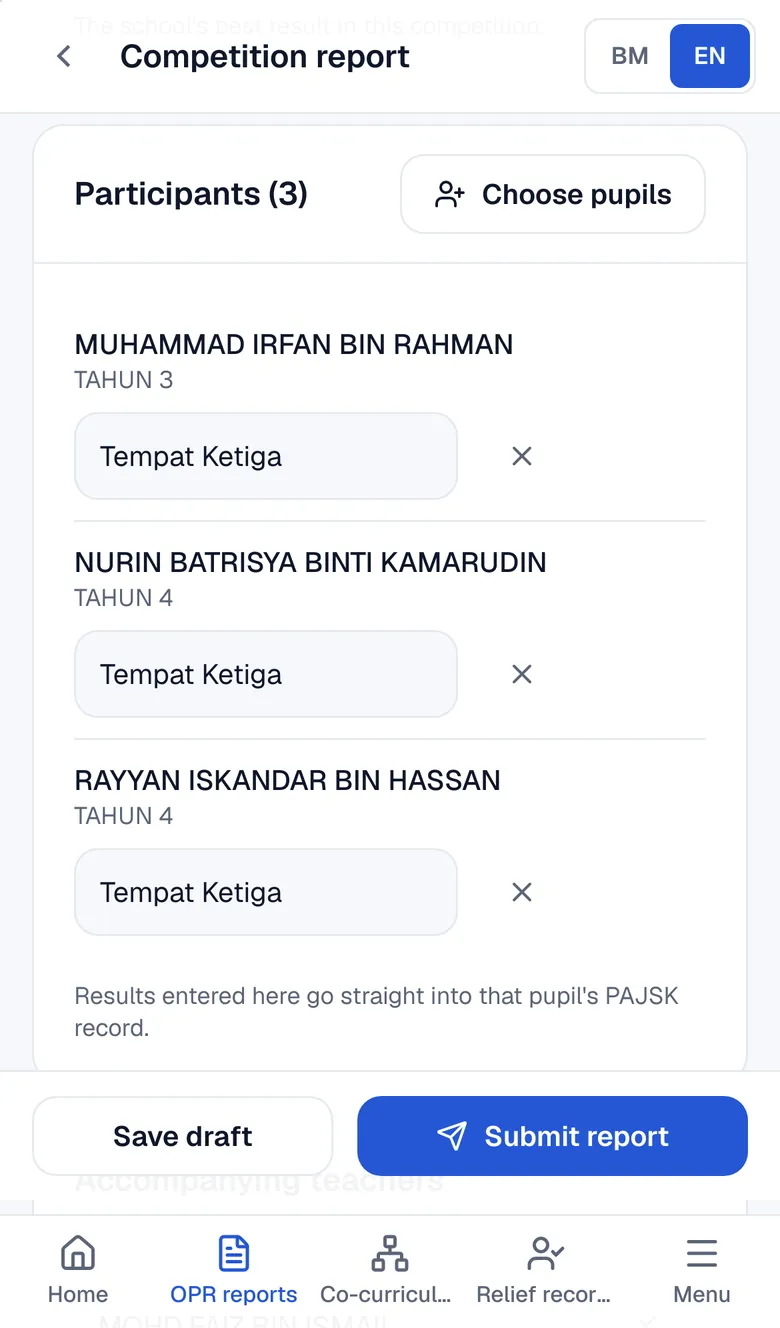
One report as an example: State Robotics Competition, three entrants, third place.

Read: OPR system
  1. Screenshot: Pick entrants from the pupil list
    1

    Pick entrants from the pupil list

    Search for a name, pick the pupil and add the result. Their class comes along.

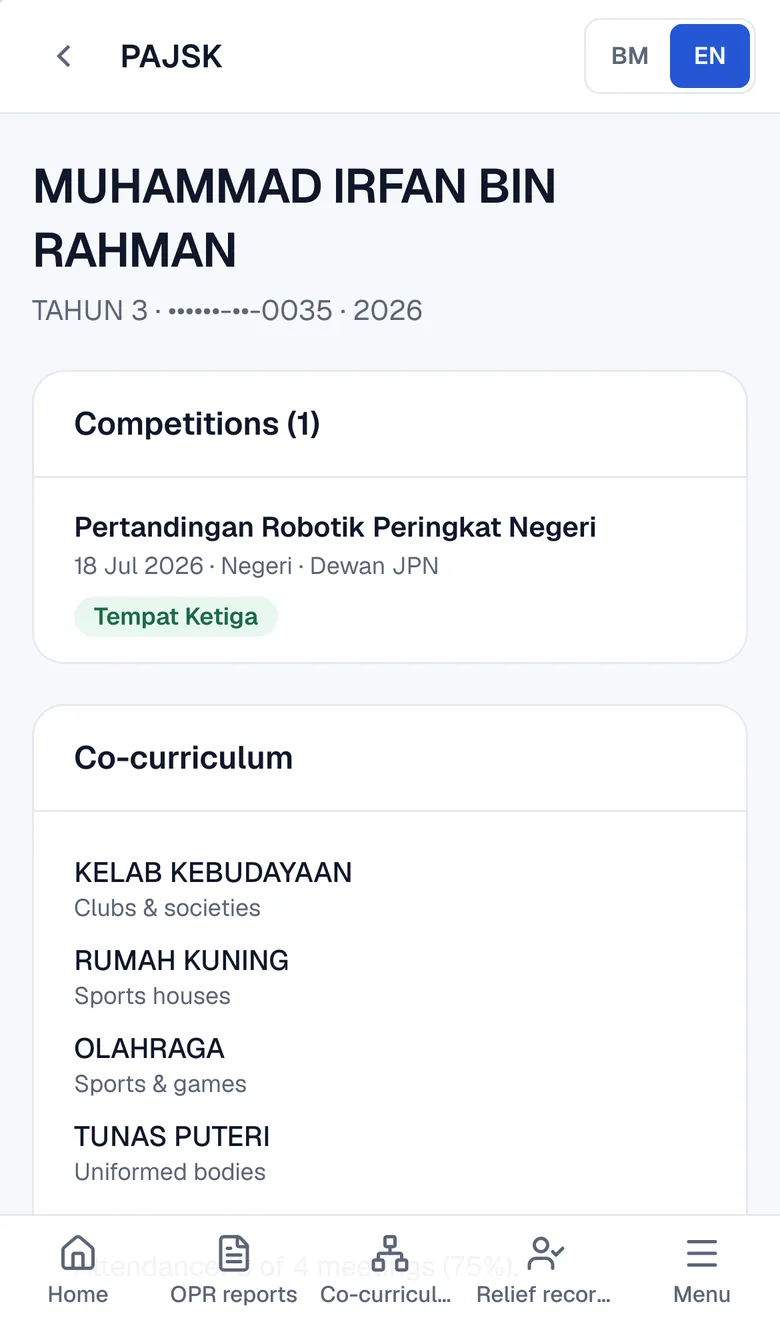
  2. Screenshot: Each entrant's PAJSK record is updated
    2

    Each entrant's PAJSK record is updated

    The level and result appear in every pupil's record, ready when MOEIS needs filling in.

  3. Screenshot: The school achievement board grows
    3

    The school achievement board grows

    The office sees every result this year without asking each teacher for a list.

Sample data

In the same system

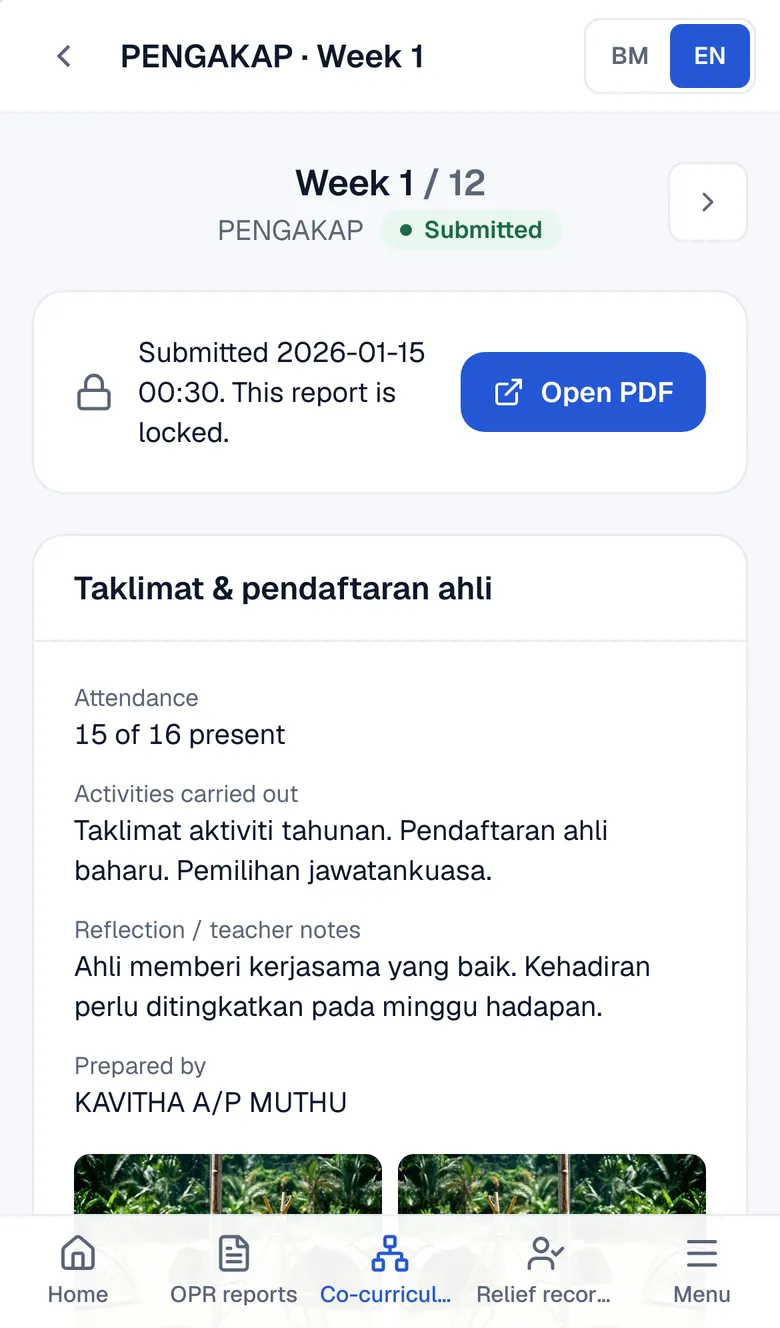
Weekly co-curriculum
Advisors mark attendance and write the meeting report on their phone. The committee chart is built from the member list.
Relief records
Teachers record when they enter and leave a relief class. The office sees the totals by teacher and period.
DELIMa ID lookup
Pupils look up their own DELIMa ID and password with their name and the last 4 digits of their IC.
Links, files and notices
Drive links, forms and panel documents in one list. Notices appear on every teacher's home screen.
Public school page
The sections the school switches on (reports, results, co-curriculum, PAJSK, relief) to share with parents and the district office.
Co-curriculum attendance and meeting report on an advisor's phone
This week's co-curriculum meeting, on the advisor's phone. Sample data.

Up and running in one afternoon

  1. 1

    Sign up your school

    30 days free with every module. No card needed.

  2. 2

    Import the pupil list

    Upload the Excel file from IDME. Classes and pupils sort themselves, with a preview before anything is saved.

  3. 3

    Teachers file their first report

    Share the school link in the teachers' group. Each teacher logs in and starts straight from their phone.

Pricing

Monthly

Launch offer

RM15a month

For one school, not one teacher.

Includes: OPR programme & competition reports · Achievement board · PAJSK record for every pupil · Co-curriculum: attendance, reports, charts · Relief records · Links & files · Pupils DELIMa lookup · Help me write (AI) · Copies to Google Drive · Own terminology · Unlimited pupils · No limit on administrator accounts

Try free for 30 days

After the trial, pay by bank transfer with the invoice from the system. Schools buying formally can ask for a quotation.

Common questions

Is the price for me or for the whole school?

The whole school. Every teacher gets their own account at no extra charge.

Is it monthly? Can we stop?

Yes, monthly. Stop the renewal yourself in Settings at any time and export the school's data (a JSON file). There is no contract.

What happens after the 30 free days?

Choose a plan in Settings and pay. Trial data stays. Without payment the system becomes read-only and the data is kept for another 60 days.

Can we use it on a phone only?

Yes. Reports, co-curriculum attendance and relief records are built for phones. Importing the pupil list is easier on a computer.

Can we print reports for the district office?

Yes. Every report becomes a one-page A4 PDF with the school logo, photos and space for signatures. Competition reports add an entrant appendix.

Is pupil data safe?

The main server is in Malaysia, and an encrypted nightly copy is also kept abroad. IC numbers and DELIMa passwords are encrypted, and the school can export its data (a JSON file) or delete all of it.

We use the old e-Pengurusan Pentadbiran system. Can we move?

Yes. We move your reports, pupils, teachers and co-curriculum records from that system without retyping.

Try it with your own school

30 days free with every module. No card needed.

Built and maintained by Sasa Teguh in Malaysia.